Recently I had years of productivity experiments and lessons coalesce into a single practice of just using my phone timer for everything. If I’m low energy or distracted, the timer keeps me on track with minimal mental overhead. This has helped me stay consistent, which I’ve always struggled with. And consistency is required for long-term progress.
It’s not just pomodoro-style work sessions. I use the timer to stay clocked in for my entire “progress block”, including break time.
What Is My Progress Block?
First I’ll loosely explain my productivity philosophy.
Productivity for me is about living a good life. This means spending my time skillfully and intentionally in all areas of life – work, leisure, relationships, fitness, etc. – none of that toxic grindset stuff. It encompasses everything. Still, I do tend to mentally put every activity into discrete categories of manual or automatic.
The automatic parts of my life are important, but self-sustaining. For instance, I don’t need a special schedule or incentive structure to cook for myself, clean my living area, and spend time with friends.
In contrast, activities in the “manual” bucket have some level of friction and won’t move without effort and discipline. For me this usually means deliberate practice , work, or forming a new habit.
I find it useful to bundle together my manual activities into a block of time, so I can summon my energy, knock out my work for the day, and then relax. I call this time my progress block.
How to Set Up the Progress Block
- Choose a block of time for a progress block and record the duration. For example, mine is 7:00 AM - 2:00 PM (duration 7 hours).
- Choose how to “spend” the duration in a way aligned with your goals. Include a realistic amount of break time. For instance:
| Activity | Duration (hrs) |
|---|---|
| Meditation | 1 |
| Drawing | 1 |
| Programming | 3 |
| Break | 2 |
| Total | 7 |
Using Timers for Time Tracking
Before the first day, you should create a named timer for each of the above activities. The default clock app in iOS and Android work fine.
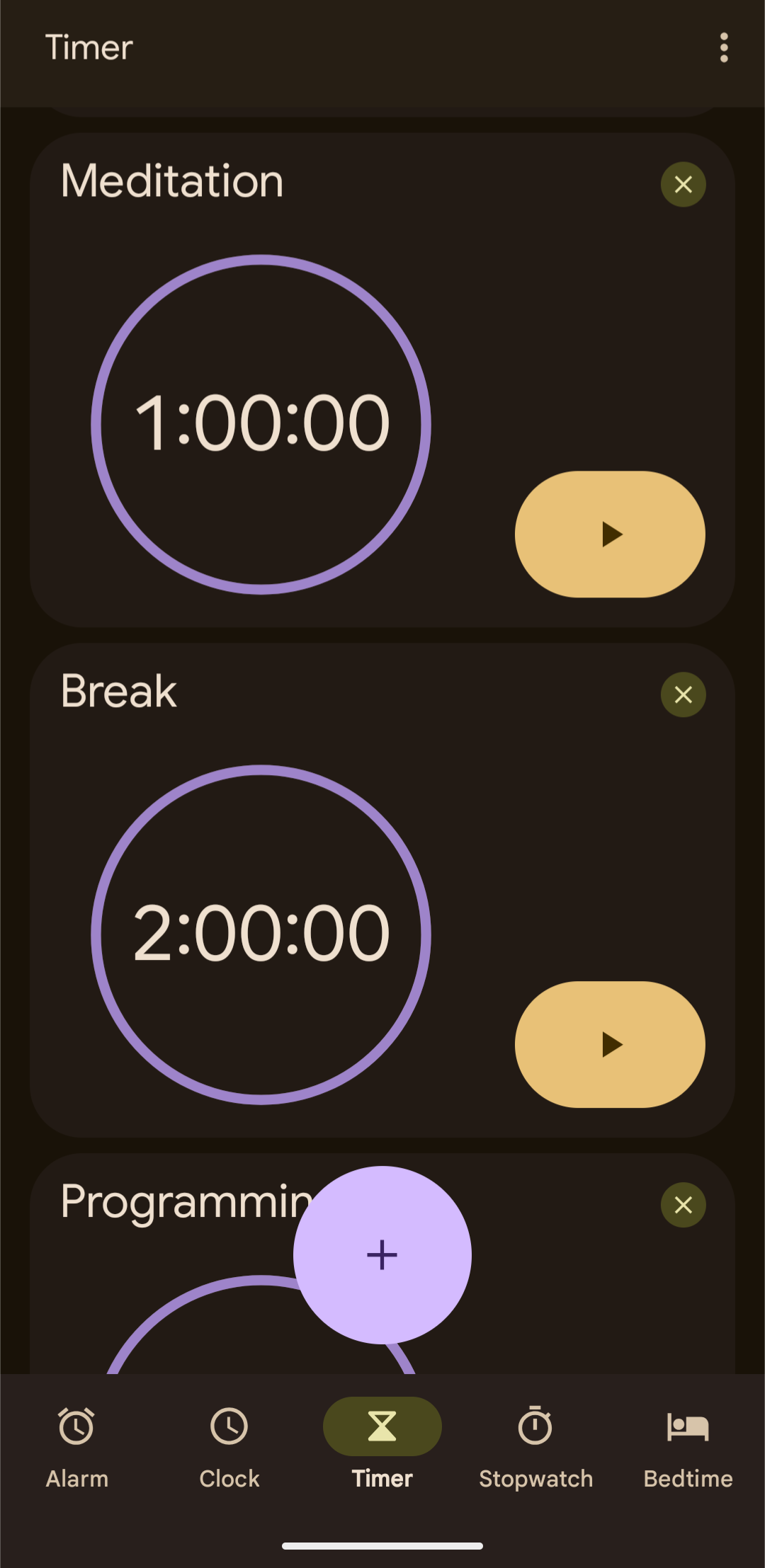
Here’s your progress block invariant: You must always have one (and only one) of these timers running.
Your job is to maintain the invariant and work on the activity specified by the active timer. Don’t want to work? No problem. Use the break timer.
When the timer goes off, or when you’re ready to switch tasks, that’s your cue to open the timer app and switch to a different timer.
Some Additional Tips
- I like to break up longer activities into hour-long chunks and leave my phone in a different room.
- In practice, I’ve memorized the order and duration of my activities, and I just create timers as I go. It helps to get intimately acquainted with your timer app.
- Don’t start the progress block right when you wake up. I give myself 30 minutes.
- If you aren’t ready to “work” right when your progress block begins, just clock into the break timer.
- Give yourself a long break timer while you form the habit.
Analysis
This system works really well for me. It definitely wouldn’t work for everyone.
The system’s flexibility allows me to rest in sync with my energy and attention levels. There’s no schedule to mess up. At the same time, rest breaks don’t accidentally “drift away” because I have the timer countdown to pull me back to my work. Rest time has become something I consciously spend.
I really like that I don’t have to maintain a habit like clocking my work or constantly checking my calendar. I can be reactive rather than proactive because the system notifies me when I need to make a decision.
My progress block has turned into a black hole where I don’t know or care what time it is. This feels really good. I don’t want to think about my schedule while I’m working. I always magically come out of the other end of the progress block by 2:00 PM (lunchtime!).
Open Questions
- Would this work all day? (Probably not, could be a fun experiment)
- How to effectively allocate time when setting up progress block